Nurseries & childcare settings
What the parent asks at 18:00, the screen has already said.
The child's day, the meals, the activities and the practical information — published in seconds by the team, visible at reception and in the parents' app.
- The parent sees the day before even asking
- Publish in seconds, between two activities
- Image consent requested child by child
Tuesday 14 April
Little Steps Nursery
10:15
Right now
Music and movement
Yellow room, toddler group
On the menu
Pumpkin purée, pear compote
Reminder for parents
Group meeting Thursday 18:00
< 30 s
to publish a photo of an activity
0
end-of-day emails to write
3
groups managed separately in the console
Twenty parents, the same question, every day at 18:00.
“Did she eat well?” “Did he sleep?” “What did you do today?” The team answers twenty times, standing in the corridor, while the other parents wait.
The 18:00 rush absorbs the team
Every parent wants their account of the day at the exact moment the team also has to watch the remaining children and tidy the room.
Practical information doesn't get through
The group meeting, the bank holiday closure, the list for the outing: pinned to the door, they are read by whoever thinks to look up.
The photos stay on the team's phone
Nobody has time to sort, resize and send a group email. Parents almost never see their child taking part.
What changes for a nursery.
The point isn't to produce content: it's to give the team back the twenty minutes it spends telling the same day twenty times.
The day told once, read by everyone
A photo and two lines published at the end of an activity are enough. The parent has read them before arriving, and the evening conversation starts where it is useful.
Elsewhere: a paper daily diary, filled in when there is time left.
One post per group, not one per child
Babies, toddlers and older children each have their own feed. The team publishes for its group, and parents receive only what concerns them.
Elsewhere: a single channel where everyone sifts out their own part.
Image rights handled seriously
Permission is requested child by child and separates the reception screen from the parents' app. A refusal takes the child out of posts, without the team having to think about it.
Elsewhere: one permission signed at enrolment, valid for everything.
A price set for a nursery budget
From €29 a month, with setup free on the first tier. The price follows capacity, not the number of parents connected.
Elsewhere: pricing designed for corporates.
03The platform
Four surfaces, one entry.
Publish once and it appears at the same moment on the screen, on the kiosk and in the app. The rest of the time, the screen runs on its own.
The day told during the fifteen minutes of pick-up
- What happened today, at the eye level of a parent in a hurry, without their having to ask.
- The meal, the nap, tomorrow's outing: the questions asked out loud every evening.
- No photograph of a child appears without their parents' permission, room by room.
Tuesday 14 April
Little Steps Nursery
10:15
Right now
Music and movement
Yellow room, toddler group
On the menu
Pumpkin purée, pear compote
Reminder for parents
Group meeting Thursday 18:00
Today's album without taking a practitioner away
- Parents look through today's photographs while the team finishes changing.
- House rules, the week's menus, required documents: available on the spot.
- One touch surface, wipeable, with no account to create.
Welcome
The day's photographs, only to permitted parents
- Posts arrive in the evening, to those entitled to see them, and to nobody else.
- Closures, outings, a change of hours: no longer a note left in the pigeonhole.
- A separated parent receives exactly the same information as the other, with no go-between.
 Suzanne D.Les Tilleuls residenceFamily
Next activity
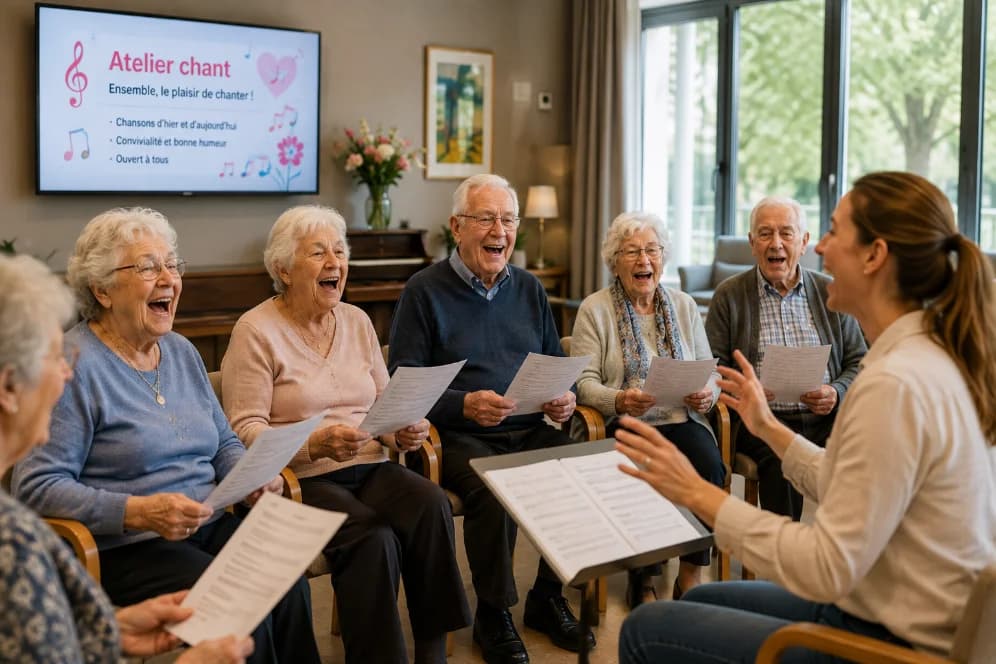
Singing workshop
Blue lounge · ground floor
Today
See all
- 10:30Memory workshopGarden room
- 14:00Gentle exerciseWellbeing room
- 16:00Musical teaRose lounge
Photos
3 of 12



Publishing takes as long as walking down a corridor
- The photograph leaves from the phone, the caption is ten words, and it is live.
- Image permission is held child by child, and follows them if they change room.
- Everything published is dated, traced, and removable in one gesture.
- Dashboard
- Posts
- Agenda
- Photos
- Residents
- Consent
Lobby screen · online
Les Tilleuls residence
New post
PreviewPublishTitle
Message
Photo
Audience
Delivery
One entry, three surfaces
Withdrawing a consent unpublishes the photo across all three surfaces, with no delay.
Three moments in the day.
Each takes the team under a minute.
Morning music and movement
Two photos published from the room, before the instruments are even put away. Parents see them at midday.
The menu of the day
Entered once for the week, it shows at reception at the right moment and stays available in the app.
The group meeting
Published once, it appears on the entrance screen and as a notification, rather than on an A4 sheet taped to the door.
Nursery and early years pricing
The tier is chosen on capacity. Setup is free on the first tier, where the configuration is lighter.
Essential
Capacity · 20 to 60
€29/ month
- Setup
- Free
- First-year total
- €348
Free — lighter configuration, no integration
Request a demoMost chosen
Professional
Capacity · 60 to 150
€79/ month
- Setup
- €100
- First-year total
- €1,048
Premium
Capacity · 150 and above
€149/ month
- Setup
- €150
- First-year total
- €1,938
25% off the subscription on an annual commitment. The setup fee is still payable once.
06What you are buying
engagewall is software. The screen comes from our partner.
Better said before you sign than after: your subscription covers the platform, not the hardware. Screens and their installation go through Ynova, who invoice you directly.
Included in the subscription
- Admin console and role management
- Mobile app for families and relatives
- Kiosk and display module (the software part)
- Support through setup
- Team training
Not included — supplied by Ynova
- Physical screens and kiosks
- Hardware installation and mounting
- Hardware maintenance
- Connectivity plan
Ynova rents out the hardware and quotes for it separately. We make the introduction; you stay in charge of the negotiation.
07Personal data
What reassures families before it reassures IT.
Showing someone's photo in a reception area is not a technical detail. engagewall treats consent as a front-line feature, not a checkbox in the settings.
Granular consent
Each person concerned — or their legal representative — chooses what may be shown: photo on the screen, photo in the app, first name displayed, event announced. Declining is the default.
Immediate withdrawal
Withdrawing consent unpublishes the content in question across all three surfaces, with no technical intervention and no propagation delay.
European hosting
Data hosted in the European Union, encrypted in transit and at rest, and logged. Sub-processors listed in the register handed to the client.
Contract pack ready
Data processing agreement (GDPR article 28), record of processing activities, retention periods and the procedure for exercising rights, all provided on signature.
Questions from nursery management.
No. A parent sees only the feed of their child's group, and only children whose permission covers the app appear in it. A child without permission is never published, not even in the background of a group photo — the team is alerted before publishing.
The content in question is unpublished immediately on the reception screen and in the app, with no technical intervention. The withdrawal is done from the console, in one action.
On the Essential tier, we create the groups, the team accounts and the visual identity, and we train the lead staff. What isn't included is integration with an existing management system: that belongs to the higher tiers.
No. One screen at reception is enough to start: that is where every parent passes. Additional rooms can be added later, and Ynova prices the hardware.
Pilot programme 2026
Try thirty days. Decide after, not before.
Thirty days free on the subscription. We fit out a limited number of sites each quarter so we can keep support at this level.
The setup fee is still payable, and the hardware is quoted separately by Ynova. A reply within one working day.
- Thirty days' subscription free, every feature open
- Software setup and team onboarding
- A named contact throughout the trial
- No automatic renewal at the end of the pilot